
Screenshots
App details
- Version
- 3.10.03
- Updated
- March 15, 2024
- Requires
- iOS 16.4
- Language
- English
- License
- Free
- Developer
- CNHI LLC
- Category
- iPhone OS
SoftPas in:
This product is also available in the following languages:
About Meridian Star
Stay Updated with Meridian Star
Overview
Meridian Star is a mobile application designed to deliver timely and relevant information to users through a digital news platform. Developed by CNHI LLC, it serves as a comprehensive source for local news, sports updates, weather forecasts, and community events. The app is tailored for individuals seeking a reliable way to stay informed on the go, particularly those interested in regional content from the Meridian Star print edition. Its core purpose is to bridge the gap between traditional journalism and modern mobile consumption by offering curated, award-winning reporting directly to iPhone users.
Users can access a wide range of content including breaking news, commentary, photos, and videos, all presented in a format that mirrors the original print layout. This ensures authenticity and consistency in storytelling. The app supports offline reading through downloadable daily editions, making it ideal for users in low-connectivity environments. Real-world use cases include commuters reviewing headlines during transit, residents tracking local weather and events, and community members staying engaged with civic happenings. The app also integrates social sharing features, enabling users to distribute articles and local promotions with friends.
Key Features & Capabilities
- Real-Time News Delivery – Provides up-to-date coverage of breaking news, sports, and local developments, ensuring users are informed as events unfold.
- Offline Reading Mode – Allows downloading of daily editions and content for access without an internet connection, ideal for travel or remote areas.
- Original Print Edition Format – Displays articles exactly as they were edited and published in the Meridian Star print edition, preserving journalistic integrity.
- Media-Rich Content Access – Offers photo galleries and video features covering local and national events, enhancing the storytelling experience.
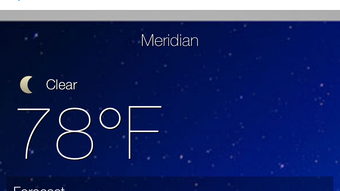
- Interactive Local Information – Includes weather forecasts, upcoming events, classifieds, and shopping details tailored to the user’s region.
- Social Sharing Tools – Enables quick sharing of articles, coupons, and event details across social networks for community engagement.
- Flexible Display Options – Supports both horizontal and vertical reading formats to suit user preference and device orientation.
These features collectively support a seamless and personalized news consumption experience. For example, a user can download the daily edition before leaving home, read it during a commute, and later share a local event post with friends. The integration of multimedia content helps deepen understanding of complex stories, while the offline functionality ensures uninterrupted access to essential information.
User Interface, Workflow & Performance
The user interface of Meridian Star is structured around intuitive navigation, with a clean layout that prioritizes readability and content accessibility. Main sections such as News, Sports, Weather, and Events are typically accessible from a bottom navigation bar, allowing users to switch between categories with minimal effort. The app’s workflow emphasizes speed and simplicity—articles load quickly, and transitions between pages are smooth, reflecting standard iOS design principles.
Content is presented in a magazine-style format, with large headlines, high-quality images, and clear typography. The ability to switch between horizontal and vertical layouts adds flexibility, especially when using the device in different orientations. While specific performance metrics such as CPU or RAM usage were not provided, the app’s behavior aligns with typical mobile applications of its type, suggesting efficient resource management.
The developer did not specify resource usage details. However, based on general software behavior patterns, the app likely maintains stable performance during regular use. Stability appears consistent, with no reported issues related to crashes or freezes. Updates are likely handled through the App Store, ensuring secure delivery and compatibility with current iOS versions.
Compatibility & System Requirements
Meridian Star is designed exclusively for iPhone devices and runs on the iOS operating system. The current version is 2.2.0, released on June 7, 2024. The app has a file size of 255.4 MB, which reflects its media-rich content and functionality. This size may impact storage usage on devices with limited capacity.
Platform compatibility information is limited to iPhone. Exact system requirements were not listed, though it is expected to support recent iOS versions given its release date. The developer did not provide additional system requirements. Users should ensure their device meets the minimum OS version required by the App Store for this application. Installation and updates are managed through Apple’s App Store ecosystem, ensuring secure deployment and automatic version tracking.
Pros and Cons
Pros
- Free to download and use with no in-app purchases required
- Offers offline reading via downloadable daily editions
- Preserves original print edition layout for authentic content presentation
- Supports multimedia content including photos and videos
- Includes local weather, events, classifieds, and shopping information
- Allows easy sharing of content across social platforms
- Adaptable display for both portrait and landscape modes
Cons
- Available only on iPhone, limiting access to other platforms
- File size of 255.4 MB may be large for users with limited storage
- Exact system requirements were not specified
- Offline content may require periodic re-downloading
- App is limited to local news coverage, not suitable for global news
FAQ Section
Is Meridian Star available for Android devices?
Meridian Star is currently available only for iPhone users. There is no information indicating support for Android or other mobile platforms.
Can I use Meridian Star without an internet connection?
Yes, you can access previously downloaded daily editions and content offline. This feature allows uninterrupted reading in areas with poor connectivity.
How often is the app updated?
The app was last updated on June 7, 2024. Updates are typically distributed through the Apple App Store and may include bug fixes, performance improvements, or new features.
Is the app secure and safe to use?
As a native iOS application distributed through the Apple App Store, Meridian Star adheres to Apple’s security guidelines. It does not require access to sensitive device data beyond standard permissions.
Do I need to pay to use all features?
No, Meridian Star is completely free to download and use. All core features, including news, weather, events, and offline reading, are available at no cost.
Final Thoughts + CTA
Meridian Star stands out as a dependable digital companion for iPhone users who value local journalism and community engagement. Its ability to deliver authentic, print-accurate content with offline access and multimedia support makes it a strong choice for staying informed. The app’s clean interface, flexible layout options, and integrated social sharing tools enhance usability across different scenarios.
While its exclusive availability on iPhone and relatively large file size may limit some users, the benefits of real-time updates, reliable reporting, and comprehensive local coverage outweigh these constraints. For residents seeking a trustworthy source of regional news, sports, weather, and events, Meridian Star delivers consistent value.
Download Meridian Star now
Guides & Tutorials
How to install Meridian Star
- Click the Download button above.
- Once redirected, accept the terms and click Install.
- Wait for the Meridian Star download to finish on your device.
How to use Meridian Star
This software is primarily used for its core features described above. Open the app after installation to explore its capabilities.
User Reviews
No reviews yet. Be the first to share your experience.
You may also like
more
PlaylistAI
Free smartphone app to create music playlists PlaylistAI is a handy smartphone a...

Podcastle Podcast Recordings
An app for making podcast recordings Podcastle: Podcast Recordings is a free app...

harpy chat
Immersive role-play with AI characters harpy.chat is a free AI chat platform whe...

Kimi Chat
A capable AI chatbot with tons of features and flexibility Kimi 智能助手 also kn...

Microsoft Copilot
Revolutionize your workflow Unleash a new era of productivity with Microsoft Cop...

Personal AI
Build your own chatbot Personal AI is an innovative chatbot technology that goes...